So with schedule juggling becoming harder than usual the past week, what with other classes, artrageous and other personal situations, setting up locations and shooting has been harder than we thought to pull off with all of us present
we've been doing our best but either one of us isnt available because of a class, or a class and other people need the space we need to shoot at. its just one of those things
fortunately we should be able to get everything shot and recorded. however, Dino and Brian have both gone over the level of detail and editing we'd like to do with this video to make it the best we can make it. Unfortunately, to get that level of completion we might need until next monday or wednesday to get there. There should be a rough cut available to show, but nothing polished for this wednesday
heres hoping everyone can understand and allow us the time to make this project as great as it can be.
Sunday, March 29, 2015

Wednesday, March 25, 2015
Filming from 3/24/15
We shot both outside scenes yesterday with our actors Shelby and tess. shelby had less makeup to do since this was supposed to be the transitionary period from mostly zombie to less zombie because she's getting better

some master craftsmanship by Dino, for our apple fishing pole. Brian drove the car for each scene and i assisted wherever assisting was needed

having Shelby do make up on a windy, cold beach was our best idea yet.

Normal vs Zombie
Monday, March 23, 2015
Voice acting: complete
So earlier today Dino helped guide Matt through voice acting for the part of the announcer. Both did an excellent job and with multiple takes of each line to choose from that part of the project is all recorded and ready to be put together.

Sunday, March 22, 2015
EXTRA EXTRA: READ ALL ABOUT IT
Brian and I finished the storyboard! Will give to Blyth tomorrow to scan and digitize. We also read through the script while I followed the finished storyboard, and fixed any errors or bumps in the script. Will also scan/tweak that tomorrow.
-
Tomorrow (Monday) I'm hoping to start recording lines with Matt, our announcer. And also in-class, plan Tuesday's shooting schedule after we run through the storyboard and tweak it with Francois.
-
Tomorrow (Monday) I'm hoping to start recording lines with Matt, our announcer. And also in-class, plan Tuesday's shooting schedule after we run through the storyboard and tweak it with Francois.
Saturday, March 21, 2015
Makeup Tests


I'm having a lot of fun with this makeup stuff. Let me know if you have any suggestions. We're going to have to do a camera test to see what I need to make darker and what I need to exaggerate.
Shelby
Wednesday, March 18, 2015

Makeup Stage 1
Stage 1 Zombie Makeup:

I have almost all of this makeup, and the small amount that I didn't have is arriving on the 20th. The tutorial I watched was really simple and it's something you can easily lighten to make stage 2. I will post the beginning test without the bite tonight and then when I get the rest on the 20th I'll do another test. I can do a lighter test for the second stage also, although I think I will leave the little bite.
Shelby
I have almost all of this makeup, and the small amount that I didn't have is arriving on the 20th. The tutorial I watched was really simple and it's something you can easily lighten to make stage 2. I will post the beginning test without the bite tonight and then when I get the rest on the 20th I'll do another test. I can do a lighter test for the second stage also, although I think I will leave the little bite.
Shelby
Tuesday, March 17, 2015
3/17/15 Progress Update
- Last night (3/16) Meghan looked over the notes and rewrote the script. After that happened, I went through and marked it up/made some more comments.
- After the final revision tomorrow in-class, we should be ideally good to go to start getting ready for filming etc.
- Also last night, our Announcer, Matt, recorded and sent in some sample readings from the script. He did three takes each for several lines, which is great. I think he nailed the feel that we want, just need to do a little tweaking when we sit down and finalize stuff in the sound studio. You can listen to them here.
- Brian right now is working on the storyboard.
- For the ending, we're still debating on if it should end with the chase scene starting off on bike and ending in-car, or just jumping right to car. I think this is really all going to come into play when we're editing it, so I think it would be best to just record the two separate endings and figure out what works best for time
IN CLASS TOMORROW
- I would like to go through the script to mark each time we mention/need a prop, costume, materials, sound/special effects, and any extra supplies we may need
- From that- we should brainstorm how to source these materials
- From the script and partial storyboard, start to think of the shot list/angles and the logistics of shooting [what camera(s), tripods/shoulder mount, maybe a light kit?]
- Also iron out locations
- After all this brainstorming is done, rework/go over the production schedule and figure out what our priorities are
- then POOF magically a video appears
- After the final revision tomorrow in-class, we should be ideally good to go to start getting ready for filming etc.
- Also last night, our Announcer, Matt, recorded and sent in some sample readings from the script. He did three takes each for several lines, which is great. I think he nailed the feel that we want, just need to do a little tweaking when we sit down and finalize stuff in the sound studio. You can listen to them here.
- Brian right now is working on the storyboard.
- For the ending, we're still debating on if it should end with the chase scene starting off on bike and ending in-car, or just jumping right to car. I think this is really all going to come into play when we're editing it, so I think it would be best to just record the two separate endings and figure out what works best for time
IN CLASS TOMORROW
- I would like to go through the script to mark each time we mention/need a prop, costume, materials, sound/special effects, and any extra supplies we may need
- From that- we should brainstorm how to source these materials
- From the script and partial storyboard, start to think of the shot list/angles and the logistics of shooting [what camera(s), tripods/shoulder mount, maybe a light kit?]
- Also iron out locations
- After all this brainstorming is done, rework/go over the production schedule and figure out what our priorities are
- then POOF magically a video appears
Monday, March 16, 2015
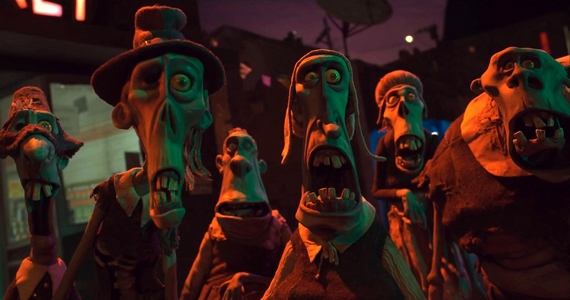


.jpg)
Today in class
Hey all, so today in class i looked over dawns notes and suggestions for the script and am in The process of rewriting it or tweaking it to best present what the video will be
I also looked up potential zombie looks with shelby and discussed locations with dino and thanked brian for doing the storyboards because thats my least favorite part of the process.
I also looked up potential zombie looks with shelby and discussed locations with dino and thanked brian for doing the storyboards because thats my least favorite part of the process.
Planning Document
https://docs.google.com/a/montserrat.edu/document/d/10B6xB-fUrQp06a4b8UB47PViUB6vu7164KtJ9IrLO7o/edit?usp=sharing
This is the planning document that I'm working on right now. We're still working on the dates and such for preproduction.
Shelby
This is the planning document that I'm working on right now. We're still working on the dates and such for preproduction.
Shelby
Sunday, March 15, 2015
Post Meeting/Progress, 3/15/15
This evening we all gathered to go over the script and brainstorm about talk about the meaning of life. (42 and/or Ergo-Zombies)
To refresh, our agenda:
- Go over script (cut, rework, prioritize)
- Go over/sketch storyboard
- Make presentation on progress/to-do for Monday's class
- consolidate... everything
--
But first! The new guy! Who is Brian? ("The Life of Brian")
--
Today!
Went over script/storyboard:
Brian started to storyboard a bit and showed us his progress.
but
We realized that we can't really finish the storyboard until we finalize the script
so
- While we chopped up the first draft of the script a bit, we decided that we still need to bring it to the class/other peeps for feedback.
- Basically we're trying to cut and merge a scene or two to make up for time/priorities
--
Dino thought too hard about script and being too corny but was then reminded by his dedicated Dino Wrangler, Meghan, that the whole purpose of the video is to be corny.
- Meghan suggested some research/references
--
Cast Brainstorm:
(Ergo) Zombie - Shelby offered to act the part and do makeup
- Shelby is working on the character design for the Zombie, she's still in the early stages of development
"Normal" Student: Tess Roever *tentative
- Tess is perfectly awkward and would make the best "normal" student ever
Announcer: Matt (via Meghan) *tentative
- Matt wants to get into voice acting, and Meghan thinks he would be a great fit/would be excited to help
- We're hoping to have Matt say a few lines over the next week so we can get a feel of what he's going for
Crew:
To refresh, our agenda:
- Go over script (cut, rework, prioritize)
- Go over/sketch storyboard
- Make presentation on progress/to-do for Monday's class
- consolidate... everything
--
But first! The new guy! Who is Brian? ("The Life of Brian")
- Brian does sound and yelling in sound booths with his brother
- Brian knows Premiere really well
- Brian knows visual effects pretty well
- Brian does storyboarding
- Brian does animation
- Brian has a cool backpack
- Brian sounds like a pretty cool guy
--
Today!
Went over script/storyboard:
Brian started to storyboard a bit and showed us his progress.
but
We realized that we can't really finish the storyboard until we finalize the script
so
- While we chopped up the first draft of the script a bit, we decided that we still need to bring it to the class/other peeps for feedback.
- Basically we're trying to cut and merge a scene or two to make up for time/priorities
--
Dino thought too hard about script and being too corny but was then reminded by his dedicated Dino Wrangler, Meghan, that the whole purpose of the video is to be corny.
- Meghan suggested some research/references
--
Cast Brainstorm:
(Ergo) Zombie - Shelby offered to act the part and do makeup
- Shelby is working on the character design for the Zombie, she's still in the early stages of development
"Normal" Student: Tess Roever *tentative
- Tess is perfectly awkward and would make the best "normal" student ever
Announcer: Matt (via Meghan) *tentative
- Matt wants to get into voice acting, and Meghan thinks he would be a great fit/would be excited to help
- We're hoping to have Matt say a few lines over the next week so we can get a feel of what he's going for
Crew:
Dino: Director/Researcher
Brian: Special Effects/Storyboard Artist
Meghan: Assistant/Script Writer/Dino Wrangler
Shelby: Actress/Makeup Artist/Character and Costume Design
Tess: Actress(?)
Matt: Voice Actor(?)
--
There's more to write but I'm starting to fall asleep. Will follow up in-class.
To do list:
- finalize script
- finalize storyboard
- reality check
- production schedule
- shot list
- finalize cast
- supplies/materials
- Costume design/outfit for tess and shelby
- Location scouting
- shooting
- Editing/special effects
- final touches
- present
This is the research that I have gathered so far. I will continue to look for more information. Some of it is repetitive but I think each of the websites that I got them from have something a little different. I also attached the links at the bottom so you can go and see what other things the websites say. Hope this can get all of us started. Good luck!
___________________________________________________________________
Ergonomics
Standing
- what can happen
- Standing still also reduces blood flow to muscles and stops the "muscle pump" (regular muscle movements) that returns blood from the feet and legs to the heart. Other body fluids won't move unless leg muscles contract. When blood or other fluids don't move properly, veins get inflamed and/or feet, ankles and legs swell and muscles start to ache
- Muscles work to hold you upright. After a woman is standing in one position or walking for a while, her muscles need a rest. Otherwise, joints from the neck to the feet can become temporarily "stuck." When this happens regularly, muscles get tired and their tendons and ligaments can be damaged, causing soft tissue injuries.
- The effects of standing all day can show up almost right away. Prolonged standing and walking causes or makes worse health problems and soft tissue injuries including:
- swollen or painful feet or legs;
- bunions;
- plantar fasciitis (inflamed connective tissue that goes from heel to toe, supporting the arch);
- stretched Achilles tendon (tendinitis);
- varicose veins;
- knee problems;
- low back pain;
- neck and shoulder stiffness;
- poor posture (and its effects);
- restricted blood flow;
- increased chance of knee or hip arthritis; and
- muscle soreness and fatigue.
- Our feet are essential for standing. The arches of our feet are shock absorbers. When these absorbers stop working (from overuse, poor position or flat feet), joints in our legs and backbone have to deal with the impacts of standing, walking, running or jumping. Tissues related to those joints then can become inflamed, tired or more vulnerable to injury.
- How to solve this problem
- Sit and move as much as possible.
- Stand with one foot in front of the other, not side by side.
- Periodically shift your weight from one leg to the other.
- re-arrange your work area
Sitting by a computer
- For your workstation, you need:
- all of your body in a neutral, relaxed position;
- your feet flat on the floor;
- an adjustable chair that moves easily;
- your back supported in the curved lumbar area (not below it), in a reclined posture of 100-110 degrees (not the upright 90 degree posture that is often shown);
- your monitor about arms' length away (the larger the size, the further away);
- to look straight ahead, eyes focussed about 2 - 3 inches/5.5 - 8.5 cm below the top of the monitor;
- glasses that don't force you into awkward postures;
- a keyboard on a flat (not tilted) tray within easy reach, that can be adjusted for height;
- your keyboard height and design so that your wrists are straight - up/down and sideways;
- your mouse nearby, about the same level as the keyboard;
- arms close to your body, with shoulders, neck and head in a relaxed position; and
- space for the equipment, papers and tools you use, within easy reach.
In your workplace in general, you need:
- adequate background light and brighter task light close to you;
- to avoid glare from overhead lights or windows (e.g. don't sit looking at a window or within 1.5 m of one);
- space in which to move around;
- regular breaks (10 minutes every hour is often recommended and in union contracts);
- opportunities to be creative, do different things, talk to others, and go to the washroom as needed
- reasonable hours of work
Eyes
- One of the most common causes of eye fatigue is staring for long periods at digital devices such as:
- Computer screens
- Smartphones
- Video games
- Digital devices linked to eye fatigue because of a tendency to blink less often when staring at a computer screen.
- People usually blink about 18 times a minute ( naturally refreshes the eyes)
- But studies suggest that people only blink about half as often while using a computer or other digital device -result in dry, tired, itching, and burning eyes.
*Make changes to your computer screen, such as:
- Place the screen 20-26 inches away from your eyes and a little below eye level.
- Regularly clean off dust and fingerprints from the screen. Smudges on the screen can reduce contrast and increase problems with glare and reflections.
- Choose screens that tilt and swivel.
- Consider using a glare filter over your screen.
*Make changes to your work environment, such as:
- Change lighting to reduce glare and harsh reflections.
- Use an adjustable chair.
- Place a document holder next to your computer screen.
*Make changes to your work habits, such as:
- Try the 20-20-20 rule. Every 20 minutes, look away about 20 feet in front of you for 20 seconds.
- Post a note that says "Blink" on the computer as a reminder.
- Take regular breaks from computer work.
*Take care of your eyes with these steps:
- Apply a washcloth soaked in warm water to tired, dry eyes (with eyes closed).
- Use artificial tears to refresh your eyes when they feel dry.
- To help prevent dry eyes while working indoors, use an air cleaner to filter dust and a humidifier to add moisture to the air.
- Eye symptoms related to computer use include:
- stinging, itching or gravelly sensation;
- irritation;
- feeling tired;
- light sensitivity;
- redness;
- blurred or double vision; and
- temporary myopia (cannot see distant objects clearly right after computer use).
- Eye muscles get tired if you stare on a computer screen for a while.
- If your monitor is near a window, your eyes will get tired trying to adjust to the difference between brighter outside light levels and the monitor's glow.
- Computer work slows down the blinking rate, so eyes can dry out
- Glare, light levels and screen colours and contrast also are important
- Bifocal and progressive lenses may not let you see the screen without straining eyes or neck and shoulder muscles, which can lead also to soft tissue injuries.
Back
- A number of factors can contribute to back pain at work. For example:
- Force. Exerting too much force on your back — such as by lifting or moving heavy objects — can cause injury.
- Repetition. Repeating certain movements can lead to muscle fatigue or injury.
- Posture. Slouching exaggerates your back's natural curves, which can lead to muscle fatigue and injury.
- Pay attention to posture. When standing, keep your weight balanced on your feet.
- Don't slouch. To promote good posture when sitting, choose a chair that allows you to rest both feet flat on the floor while keeping your knees level with your hips.
- If the chair doesn't support your lower back's curve, place a rolled towel or small pillow behind your lower back.
- Remove your wallet or cellphone from your back pocket when sitting, to prevent putting extra pressure on your buttocks or lower back.
Subscribe to:
Comments (Atom)